Body registry
Source: ui/body_registry.py
Home and Import/Export each own a TilesContainer. In-place search should
filter the same container the user was already viewing: constructing a second
copy would duplicate controls and could show state different from the source
screen.
BodyRegistry solves this narrow coordination problem by retaining references
to the active Home and export tile bodies.
Home flow
The Home factory creates and registers its body:
Screen code calls go_search(page, mode="home"). Internally, the helper
selects that same instance and opens in-place search:
The complete flow is:
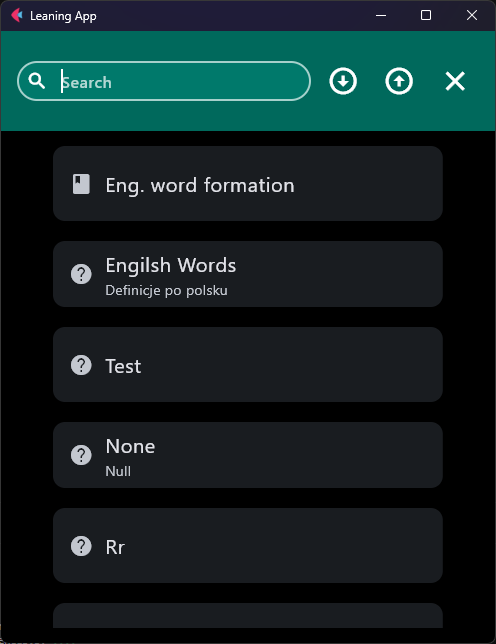
Search is not a route. ui/inplace_search.py hosts SearchControl as the
shared AppBar title, hides the menu / bottom bar / FAB, and restores chrome
on close. The tile body stays in its shell column and is never reparented.
Import/Export flow
ImportExportControl creates the export body lazily and reuses it on later
visits:
if not BodyRegistry.has_export():
    tiles_of_sets = TilesContainer(page, export_mode=True)
    BodyRegistry.set_export(tiles_of_sets)
else:
    tiles_of_sets = BodyRegistry.get_export()
Likewise, go_search(page, mode="export") internally selects the export body:
The flow is:
get_export() asserts if the export body was never registered, so call
export search only after Import/Export has run its constructor at least once.
Before opening search, go_search() also verifies that the selected body
contains tiles.
On Export, in-place search also hides the Import/Export tab bar and the “Choose a set to export.” tip while the search field is open.
Scope of the registry
This is process-wide UI coordination, not general application state. Store
only the Home and export TilesContainer references here.
Do not use BodyRegistry for:
- learning-set or other domain data,
- persisted settings,
- route parameters,
- form fields,
- unrelated controls shared only for convenience.
See State and persistence for choosing the correct owner and lifetime for other values.
Tile list behavior is summarized in UI components.
See the Body registry API for its generated method contracts.